Affiliate Disclosure: Some links on this page earn us a commission. Our editorial judgments are independent.
CrushOn AI Download Guide: Android, iOS, and Web Access
CrushOn AI is accessible on Android, iOS (with regional limitations), and any browser without an install. The fastest way to start is web access — go to crushon.ai, create an account, and chat within minutes. If you prefer a mobile app, the Android install is straightforward. iOS users face a specific regional challenge explained below. This guide covers all three access paths.
Web Browser Access — No Download Required

The web version at crushon.ai is the most universally available and most feature-complete version of CrushOn AI. It works on any device with a modern browser: desktop (Chrome, Firefox, Safari, Edge), Android browser, and iOS browser.
Steps to access via browser:
- Open crushon.ai in your browser
- Click Sign Up — register with email and password
- Confirm you are 18+ (required for account creation)
- Begin browsing the character library or create your own character
Web access provides identical feature access to the mobile apps. For desktop users, web is the recommended primary access method. For mobile users who cannot install the app in their region, browser access is the reliable fallback.
Android App — Google Play Install
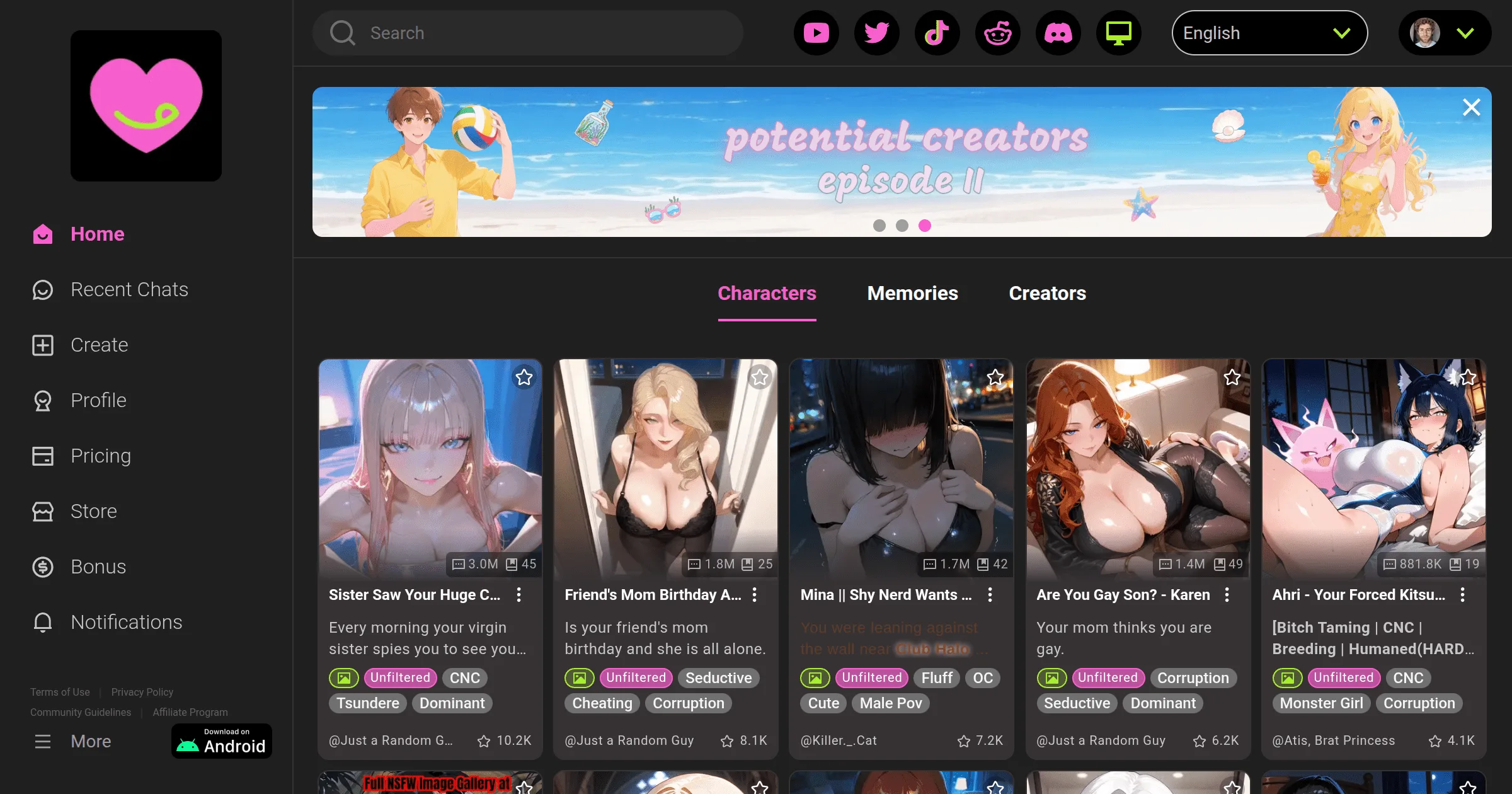
The CrushOn AI Android app is available on the Google Play Store as of May 2026. The Google Play listing has navigated content policy requirements with age-gating — the app is available with an 18+ designation.
Install steps:
- Open Google Play Store on your Android device
- Search for "CrushOn AI" — verify the developer is Peekaboo Tech Inc.
- Tap Install
- Open the app and sign in with your existing account or create a new one
- Confirm age verification within the app
Note: Google Play availability has varied historically. If the app does not appear in your regional Play Store, use the web browser version as the alternative. Do not download APK files from third-party sites — unofficial APKs carry malware risk.
iOS App — Regional Situation
The CrushOn AI iOS App Store situation is more complicated due to Apple's content policies around adult material. The App Store listing is not available in all regions — users in the US, UK, and several other markets may find the app absent or restricted.
What iOS users can do:
- Browser access: crushon.ai works in Safari and Chrome on iPhone/iPad. Add it to your home screen using the "Add to Home Screen" function (share icon > "Add to Home Screen") for an app-like experience.
- Region change: Some users change their App Store region to a country where the app is available. This requires an Apple ID with a billing address in that region and is outside standard usage — not a recommended approach.
- TestFlight: CrushOn AI has previously distributed iOS builds via TestFlight (Apple's beta testing platform). Check the CrushOn AI Discord for current TestFlight availability.
Web access on iOS is functionally equivalent to the native app for all core features (chat, image generation, character browsing). The main limitation is background push notifications, which require the native app.
System Requirements
| Platform | Requirement |
|---|---|
| Android | Android 7.0+ (Nougat), 2GB RAM minimum |
| iOS (browser) | iOS 14+ (Safari or Chrome) |
| Desktop browser | Chrome 90+, Firefox 88+, Safari 14+, Edge 90+ |
| Internet | Stable connection required; no offline mode |
Account Setup After Installation
Regardless of access method, account creation follows the same process:
- Email + password — use an email you control. For privacy, consider a secondary email not linked to your real name
- Age confirmation — 18+ self-reported checkbox (no ID required)
- Username — visible to other users if you publish characters
- Preferences — content rating filter, notification settings
First-time users start on the free tier automatically: 50 messages/day, basic model, full character library access. No payment information required to create an account.
Account Access Across Devices
CrushOn AI accounts are device-agnostic. Log in with the same email/password on:
- Web browser on any device
- Android app
- iOS browser
- New devices after uninstall and reinstall
Chat history and character collections sync across access points tied to the same account.
Troubleshooting Common Install Issues
App not found in Play Store:
Search by developer name (Peekaboo Tech Inc.) rather than app name. If still not found, your regional Play Store may not carry the listing — use web access instead.
Login issues after install:
Clear app cache (Android: Settings > Apps > CrushOn AI > Clear Cache). If using Google or Apple login, ensure the associated account is accessible. Password reset is available at crushon.ai/forgot-password.
App crashes on launch:
Update to the latest version. If the crash persists, uninstall, restart the device, and reinstall. Force-closing other apps may resolve memory-related crashes on older devices.
Features not loading (images, voice):
These features require stable bandwidth. On mobile data, ensure you have adequate signal. Some features also require a paid subscription tier. Check our pricing guide to confirm your plan includes the feature you are trying to use.
For general platform troubleshooting, see our CrushOn AI not working guide. For account management including deletion, see our account deletion guide.
Ready to try CrushOn AI?
Visit CrushOn AIFrequently Asked Questions
CrushOn AI does not offer a dedicated Windows or macOS desktop application. Browser access at crushon.ai is the desktop experience. On Chrome, you can install the web app as a Progressive Web App (PWA) via the browser's "Install app" or "Add to desktop" option for a standalone window experience.
Avoid APK files from unofficial sources. Third-party APKs claiming to be CrushOn AI may be modified versions or malware. If you cannot find the app on Google Play, use the official website at crushon.ai instead. There is no legitimate reason to install an unofficial APK when web access provides equivalent functionality.
No. CrushOn AI requires a live internet connection. All AI model processing happens on company servers, not on your device. There is no offline mode or cached conversation access.
Android: Updates install automatically if auto-update is enabled in Play Store settings, or manually via the Play Store app update section. Web: No update required — browser access always loads the current version. Account data is not affected by updates.